
Number Memory and Reflex Master: Two One-Minute Brain Games
· 4 min read
Contents
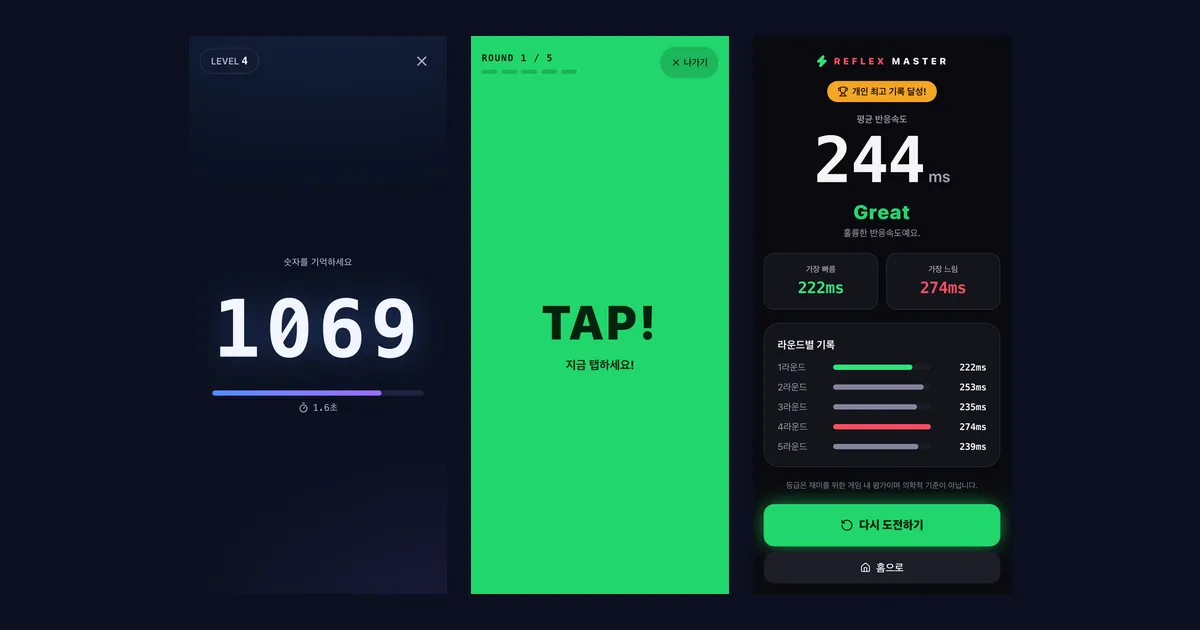
Our fourth post covers the two games on Kola Tools: Number Memory and Reflex Master, a reaction time test. Both start instantly with no install or sign-up, and a round takes about a minute — perfect for a short break. Here are the rules, how your records are kept, and how we measure reaction time accurately.
Both games currently have a Korean interface, but they are easy to play without reading: one is all numbers, the other is all colors. The key words are explained below.
Why we made them
We wanted something on the site besides tools — a quick way to take a break. So we set a few rules for ourselves:
- No explanation needed. Memorize a number, or tap when the screen turns green.
- Short rounds. One mistake ends the game, and one button starts a new one.
- Phone first. Big, touch-friendly buttons and layouts, with keyboard support on PC.
- Records stay on your device. Best scores and recent games are saved in your browser, no account required.
Number Memory
A number flashes on the screen; when it disappears, type it back on the keypad. Get it right and you move up a level. Get one wrong and the game is over.
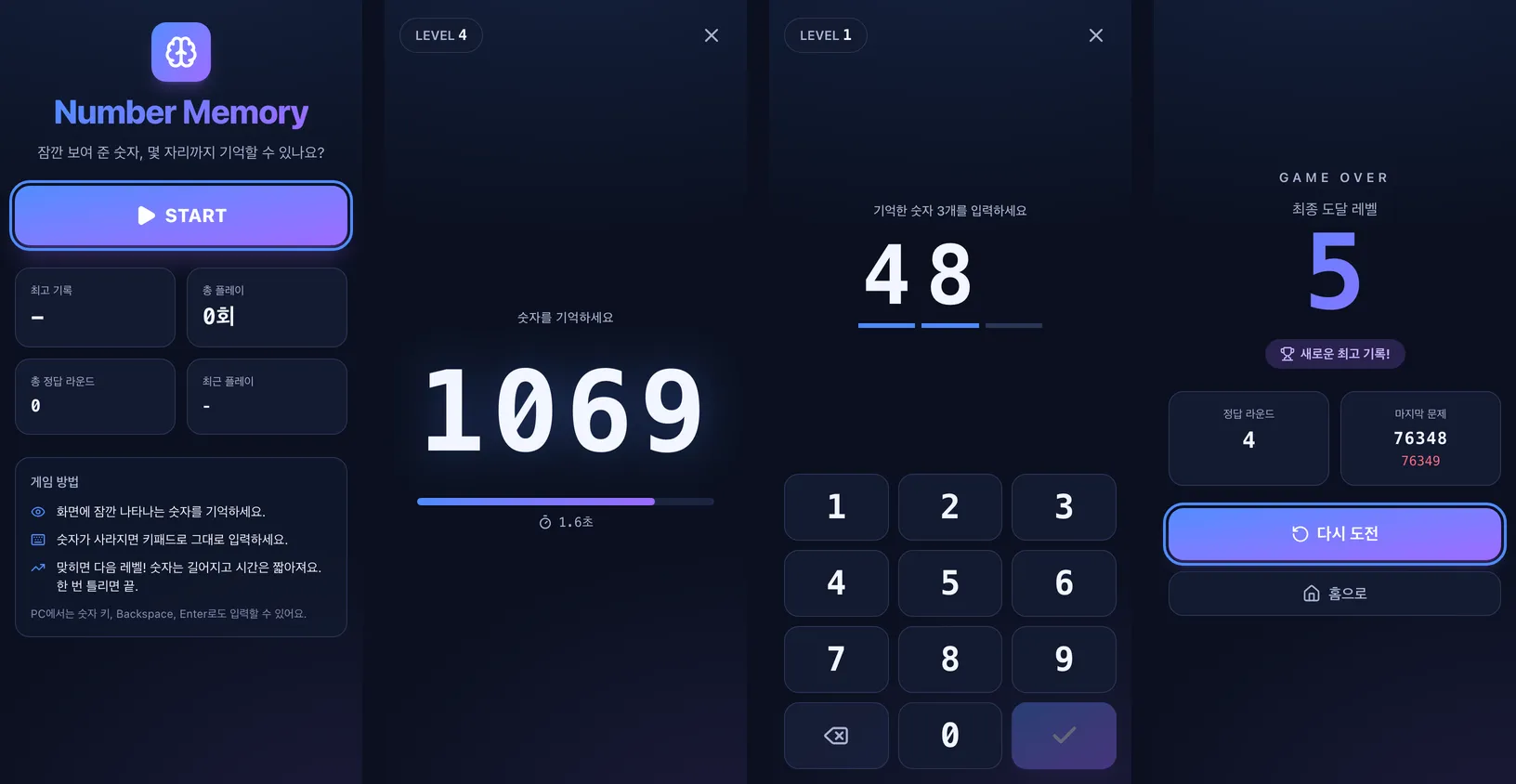
The key screens: START begins a game, 숫자를 기억하세요 means “memorize the number”, 입력하세요 asks you to enter it, and GAME OVER shows the level you reached (최종 도달 레벨).
It gets harder every level
| Level | Digits | Shown for |
|---|---|---|
| 1 | 3 | 3.0 s |
| 2 | 3 | 2.5 s |
| 3 | 4 | 2.5 s |
| 4 | 4 | 2.0 s |
| 5 | 5 | 2.0 s |
| 6 | 5 | 1.7 s |
| 7 | 6 | 1.7 s |
| 8 | 6 | 1.5 s |
| 9 | 7 | 1.5 s |
| 10 | 8 | 1.2 s |
From level 10 on, each level adds one digit and shows the number 0.05 s less (down to 0.8 s, up to 20 digits). Digits are random from 0 to 9, and the first digit is never 0.
Keeping it fair
- You can only submit once every digit is filled in, and input is ignored after the answer is checked, so nothing gets submitted twice.
- If you switch to another tab while memorizing or typing, the round is cancelled and you retry the same level with a new number — no writing it down somewhere else.
- Quitting mid-game with the X button doesn’t count as a game.
- On a PC you can type with the number keys (including the numpad), Backspace/Delete and Enter.
The result screen shows the level you reached, how many rounds you got right, and the last number next to what you typed. The home screen keeps your best level, total games, total correct rounds and the date you last played.
Reflex Master
Tap as fast as you can the moment the screen turns from red to green; your reaction time is measured in milliseconds. A game is five rounds, and you’re rated on the average.
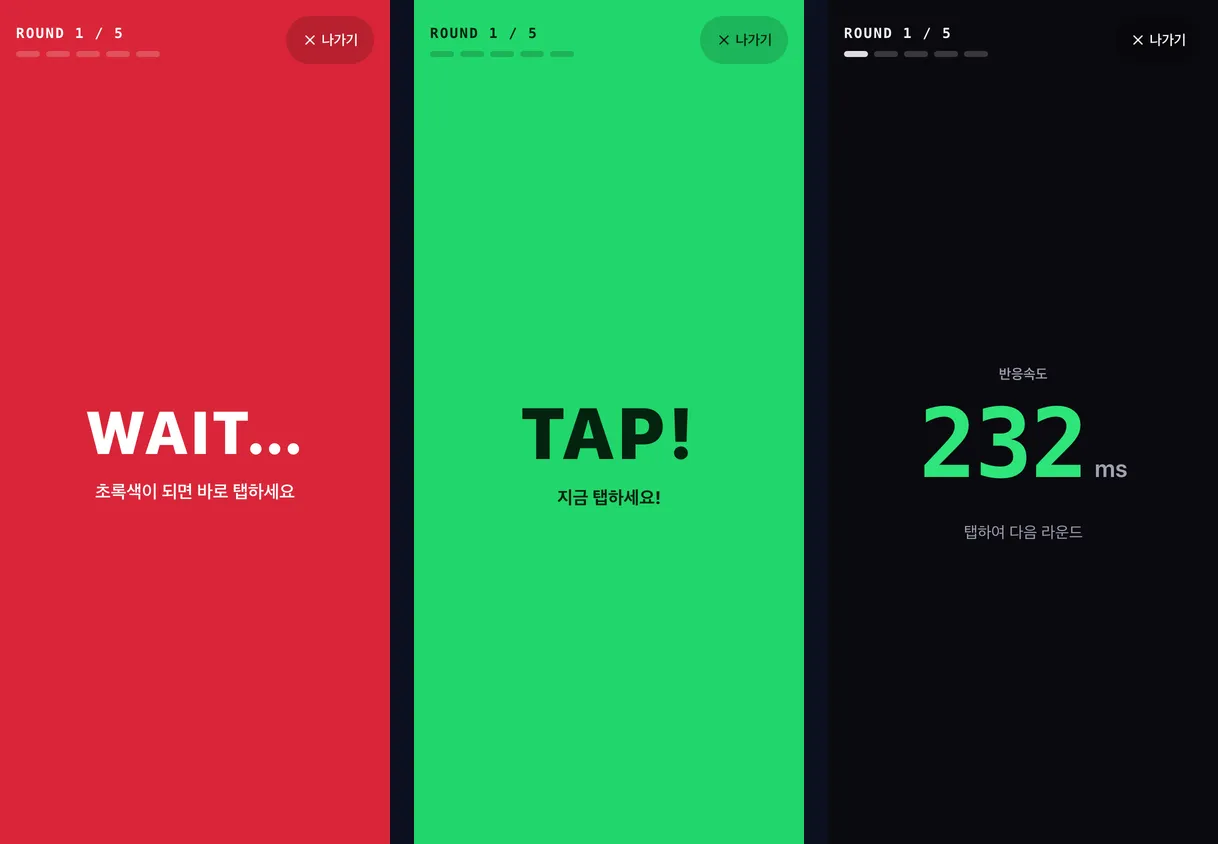
- Press 게임 시작 (Start game) and tap the screen; it turns red.
- After a random 1–5 seconds it turns green, so you can’t predict the moment.
- Tap as soon as it’s green. Tap before that and it’s a false start — you redo the round.
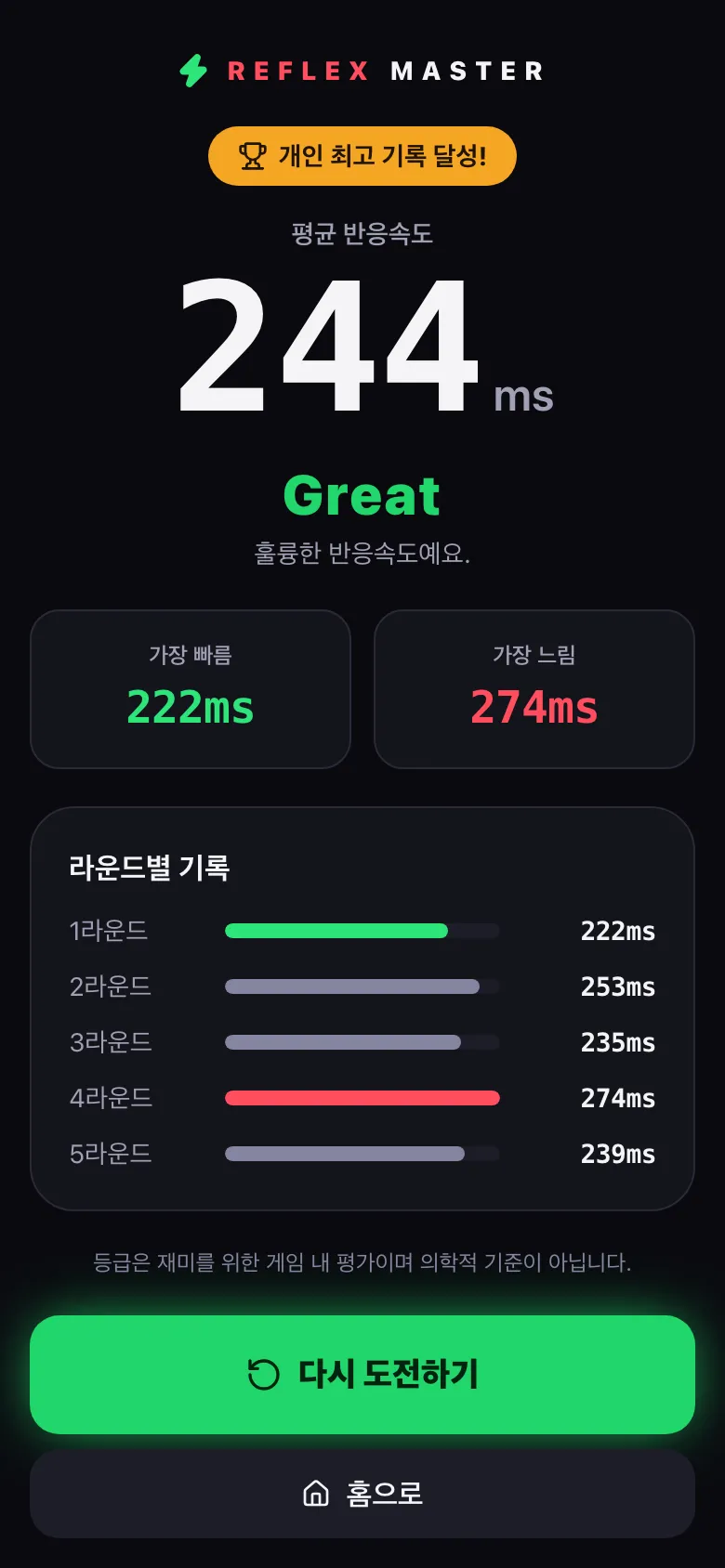
- After five rounds you see your average, fastest and slowest times, every round’s time, and a rating.
| Average | Rating |
|---|---|
| Under 150 ms | Lightning |
| 150–199 ms | Excellent |
| 200–249 ms | Great |
| 250–299 ms | Good |
| 300–399 ms | Normal |
| 400 ms+ | Keep Practicing |
Ratings are just for fun and are not a medical measure. The result above is a scripted demo run made for this post.
Measuring reaction time accurately
Timing reactions in a web page is easy to get wrong: rendering time and event handling delays can sneak into the result. Here’s how Reflex Master avoids that:
- It times the touch, not the release. It listens for the moment your finger or mouse button goes down (pointerdown) rather than the click that fires on release.
- It uses when the input actually happened. The time comes from the browser’s own input timestamp (
event.timeStamp), not from when our code got around to handling the event. - It starts the clock when green is actually on screen. The start time is taken from the frame in which the green screen is painted, not from when the code asked for it.
- Distracted rounds don’t count. Switching tabs mid-game cancels the round, and you play it again.
On a PC, Space or Enter works as a tap and Esc leaves the game. Your best average, last 10 games, total games and last played date are saved on your device.
Where are my records stored?
Both games store records only in your browser’s local storage, never on a server. That’s why they work without an account — but they won’t follow you to another device or browser, and clearing your browser’s site data removes them. You can also wipe them with 기록 초기화 (Reset records) on each game’s home screen.
Try them
Take a quick break and see how many digits you can hold with Number Memory, or how many milliseconds your reflexes take with Reflex Master. Our previous post introduced the QR Code Generator.