
Free Online Scoreboard: Turn Your Phone into a Score Display
· 3 min read
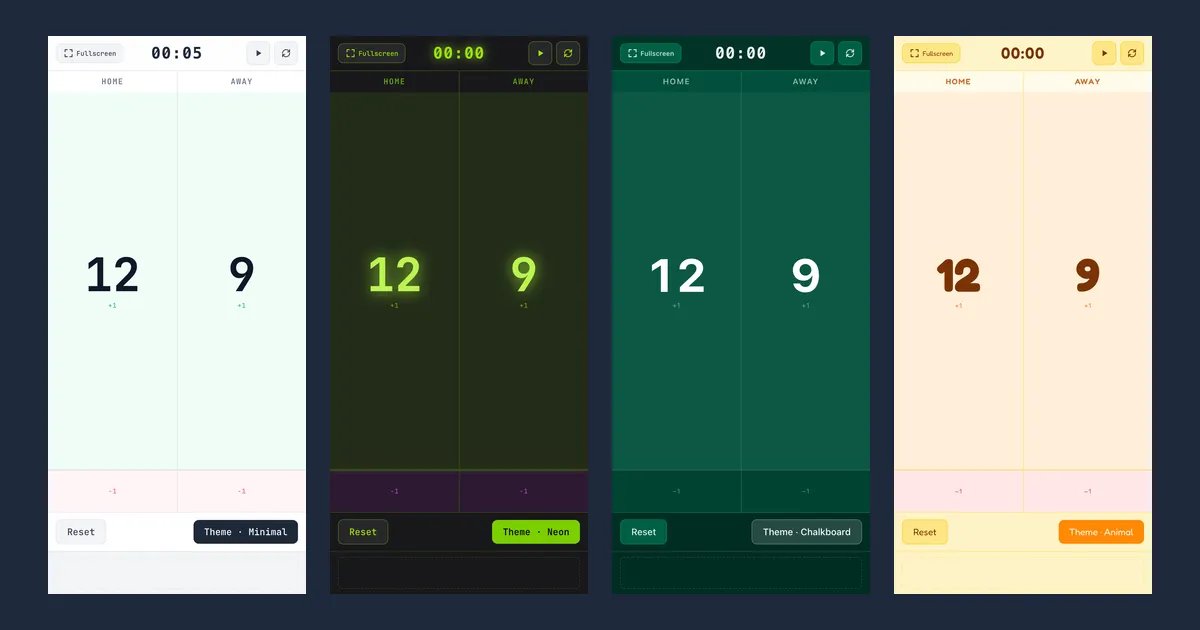
Our fifth post introduces the Scoreboard. Whenever you need to keep score — table tennis, badminton, pickup games or board game night — your phone or tablet becomes the scoreboard. Tap to add points, track elapsed time with the built-in timer, and pick one of four themes to suit the room.
Why we built it
When you keep score in your head, sooner or later someone asks, “Wait, what’s the score?” And many scoreboard apps cover the screen with ads, need to be installed, or have buttons too small to hit mid-game.
So we set out to make one that is:
- Readable from across the room. Each team’s score fills half the screen.
- Easy to hit without looking. Tap the large top area of a team’s panel (about 90% of it) for +1, or the narrow strip at the bottom for −1. No hunting for small buttons.
- Instant. Just open the page; use your browser’s fullscreen mode and it feels like an app.
How to use it
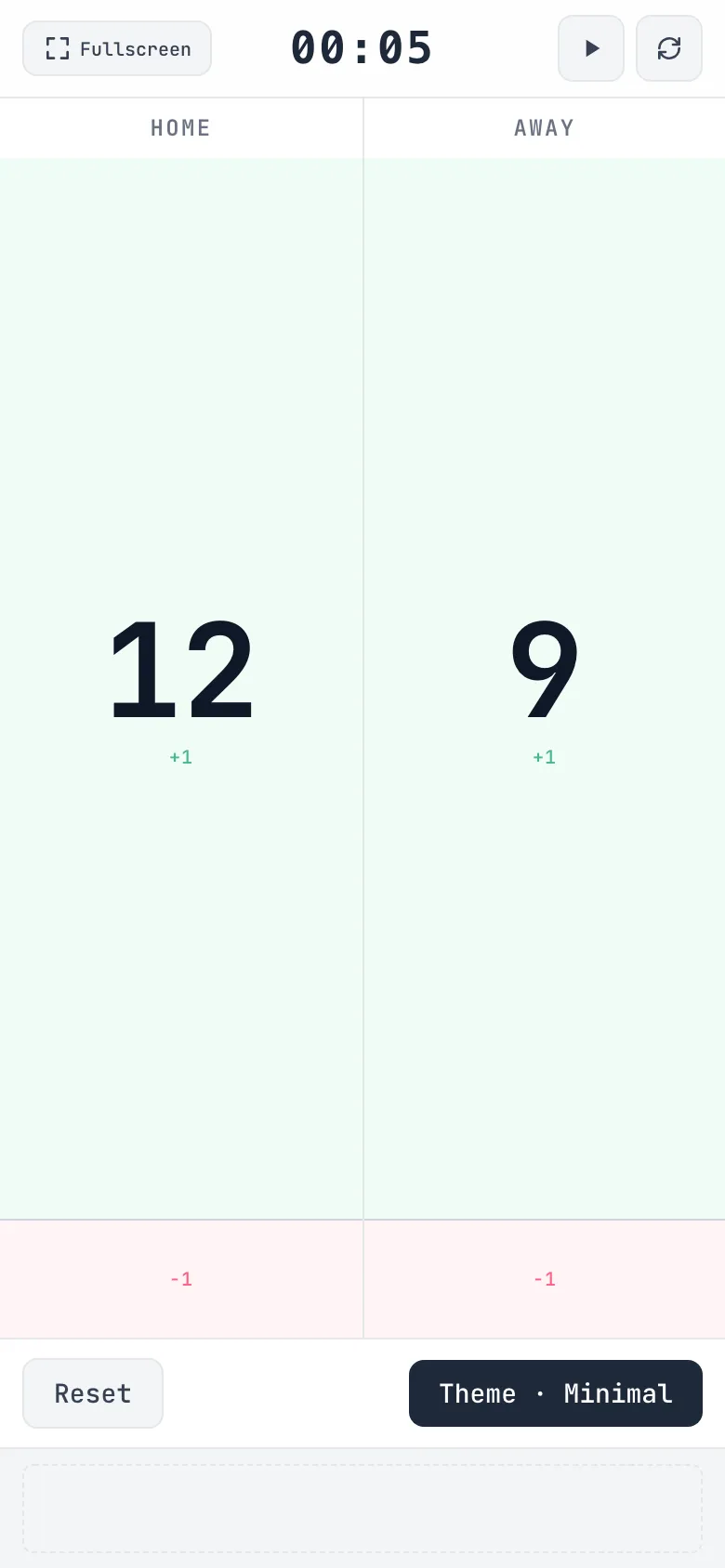
- Add or remove points: tap the big upper area of a team’s panel for +1, or the −1 strip below it to take a point away. Scores never go below zero.
- Rename teams: tap a team name (TEAM A and TEAM B to start) to edit it. Press Enter or tap elsewhere to save, or Esc to cancel. Names are shown in capitals.
- Timer: press ▶ at the top to start it, and again to pause. The ↻ button next to it resets the timer to 00:00. It is an elapsed-time timer — there is no countdown mode.
- Reset scores: the Reset button at the bottom sets both scores back to zero, leaving team names and the timer alone.
- Fullscreen: the Fullscreen button in the top left hides the address bar so the whole screen is your scoreboard. Some browsers — notably Safari on iPhone — don’t support fullscreen for web pages.
Use it in landscape
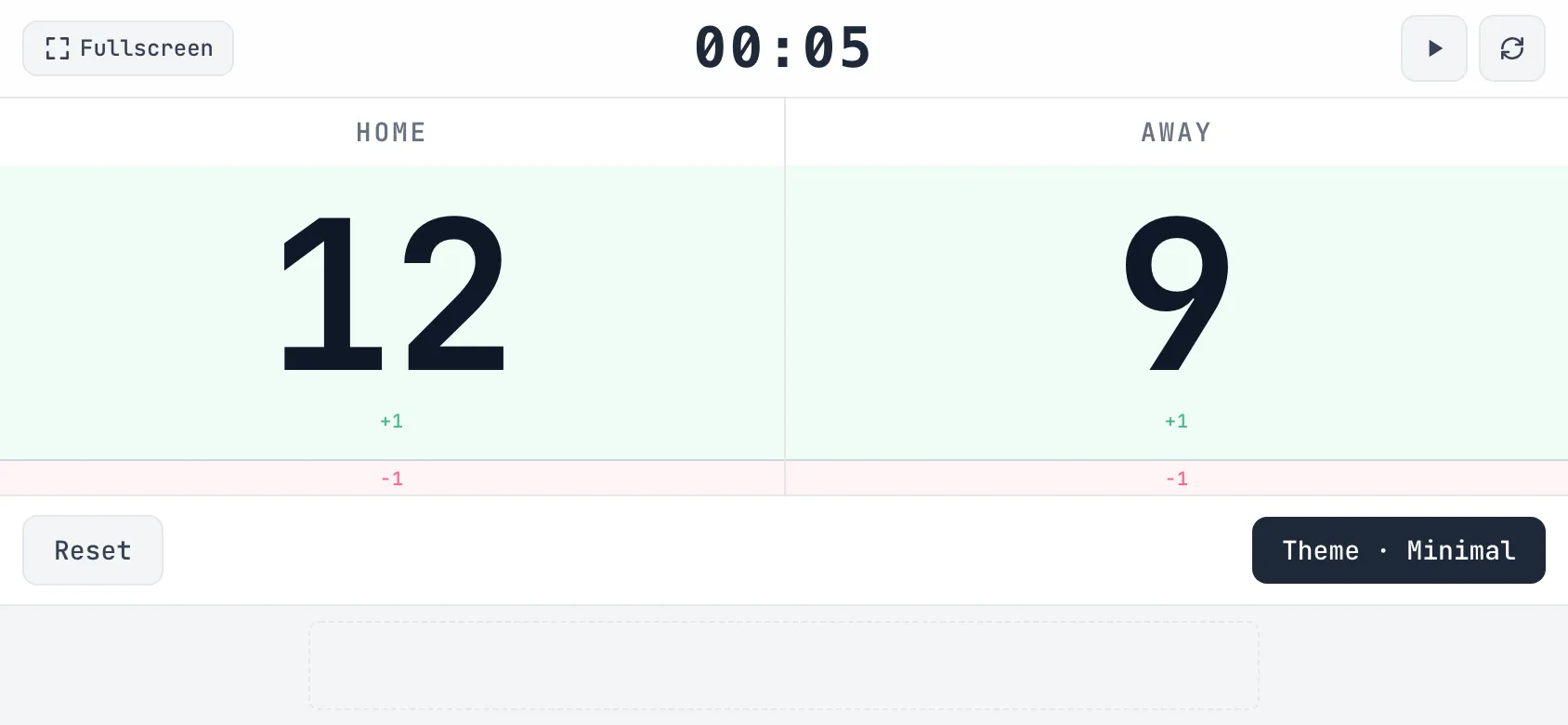
Turn your phone sideways and the two scores spread out left and right — ideal for propping at the end of a table where both players can see it.
Four themes
Each press of the Theme button at the bottom cycles through Minimal → Neon → Chalkboard → Animal. Pick whatever suits the lighting and the mood.
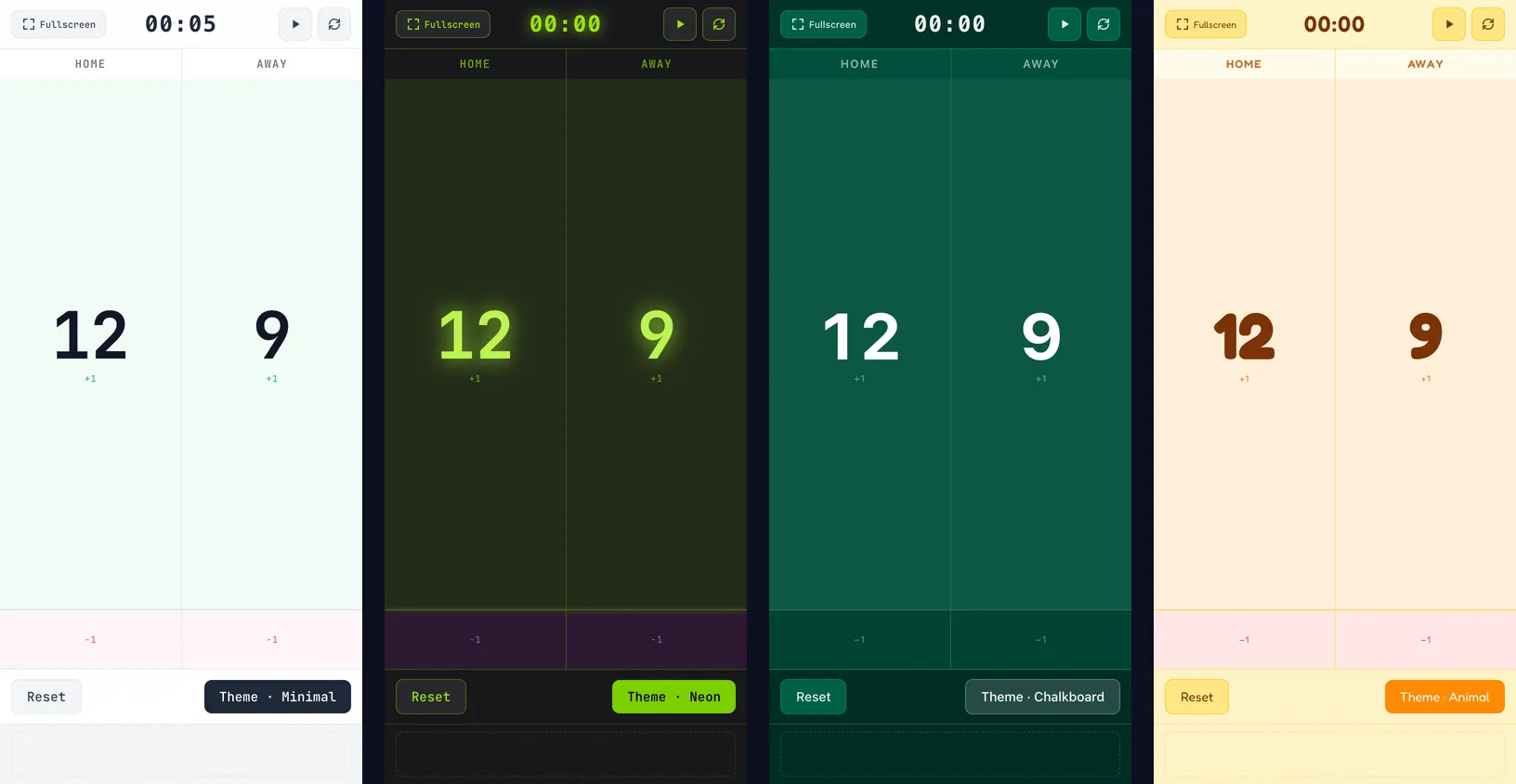
- Minimal: clean and clear in bright rooms
- Neon: crisp digits even in dim light
- Chalkboard: a deep green, chalkboard look
- Animal: a rounded, playful font for family board games
Good to know
- The scoreboard runs entirely on your device. Team names and scores are never sent anywhere.
- It also doesn’t save them: refreshing or closing the page resets everything, so keep the tab open during a game.
- To avoid unlocking your phone mid-game, set a longer screen timeout before you start.
How it’s built
The scoreboard is built with Next.js and Tailwind CSS and deployed as static files, with no server. Scores, team names and the timer live only in the page’s state; the timer simply adds one second at a time. Themes swap a set of colors and fonts, so you can change them mid-game without touching the score or the clock.
Try it
Next time you play, open the Scoreboard and stand your phone up at the side of the table. With this post, we’ve introduced every game and tool on Kola Tools. Our previous post covered Number Memory and Reflex Master.